Follow

PC

Platform »

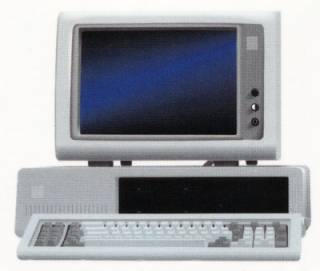
The PC (Personal Computer) is a highly configurable and upgradable gaming platform that, among home systems, sports the widest variety of control methods, largest library of games, and cutting edge graphics and sound capabilities.

SteelSeries Engine Problem.

#1 Posted by AlisterCat (5025 posts) - 1 year, 19 days ago

I love my new Diablo 3 mouse, but I cant get the software to install properly. I have filed a support ticket, but I thought I would post here to see if anyone can help me.

I just received my Diablo 3 mouse.
I followed the installation instructions, and downloaded the steel series engine and driver fixer from the website. After installing the SteelSeries engine it tries to launch and says "SteelSeries Engine Has Stopped Working". It has never successfully started. I can use the mouse without the software, and the driver installs correctly, but I cannot access the software.
when the mouse is plugged in, I try and launch the software, get the error message, then the mouse no longer responds. Neither does my original mouse.
I have tried the following:
  • Running Setup as administrator
  • Running software as administrator
  • Running setup and software in compatibility mode
  • Uninstalling software and drivers, rebooting and installing again.
  • Installing the software without the drivers
Nothing works.

So, any ideas?

#2 Posted by mosdl (3008 posts) - 1 year, 19 days ago

What OS?

#3 Posted by AlisterCat (5025 posts) - 1 year, 19 days ago

@mosdl: Windows 7 64-bit. Says it is fully supported. I installed it on my family computer just to check and works fine there.

#4 Posted by mosdl (3008 posts) - 1 year, 18 days ago

I assume you tried running as admin?

#5 Posted by AlisterCat (5025 posts) - 1 year, 18 days ago

@mosdl: Yep, it's in my first post. I installed it on the family computer, same OS, and it works perfectly. Must be something conflicting.

#6 Posted by mosdl (3008 posts) - 1 year, 18 days ago

@AlisterCat:

Try comparing versions of Microsoft .NET Framework, might be the issue.

#7 Posted by AlisterCat (5025 posts) - 1 year, 18 days ago

@mosdl: completely removed the .net framework. No change.

#8 Posted by mosdl (3008 posts) - 1 year, 18 days ago

@AlisterCat: It probably needs it, I would unsintall .net and the software from steelseries, reboot and reinstall.

#9 Posted by mosdl (3008 posts) - 1 year, 18 days ago

@mosdl: http://faq.steelseries.com/questions/17/What+should+I+do+if+I+get+the+error%3A+%22Z+Engine+has+stopped+working%22%3F seems to be the issue

Please Log In

This edit will also create new pages on Giant Bomb for:

Beware, you are proposing to add brand new pages to the wiki along with your edits. Make sure this is what you intended. This will likely increase the time it takes for your changes to go live.

Comment and Save

Until you earn 1000 points all your submissions need to be vetted by other Giant Bomb users. This process takes no more than a few hours and we'll send you an email once approved.

Use your keyboard!

  • ESC